 Home
HomeMtlx Viewer for VS Code
See your MaterialX materials without leaving the editor.
Open any .mtlx or .mtlx.zip file and get a live, physically based 3D preview, an interactive node graph, and a full validation report, all in one tab. Free and open source, built on the same mtlx-core library as the CLI and this site's viewer.
Part of the Mtlx suite of web-focused MaterialX tools.
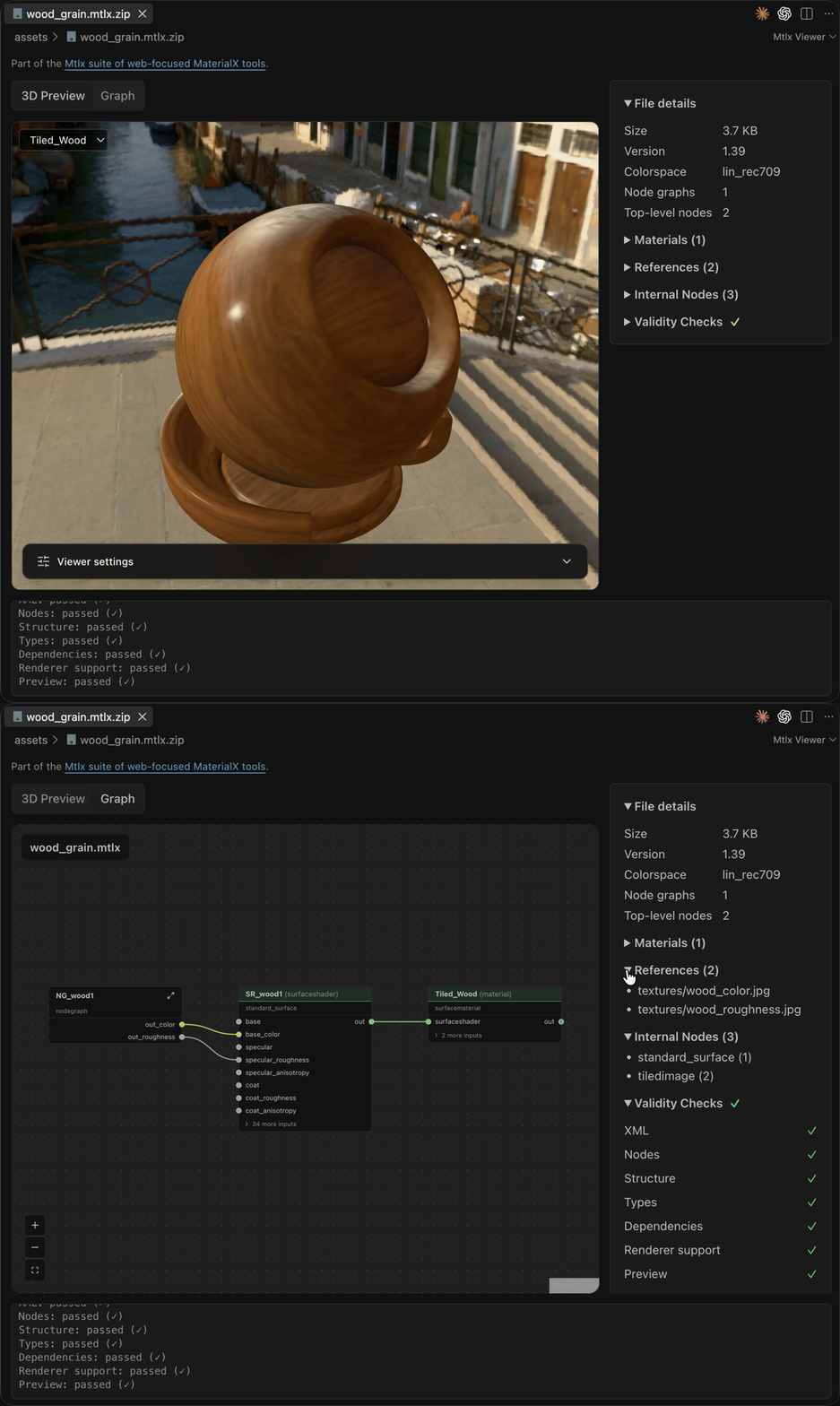
- Real-time 3D previewTotem, sphere, cube, plane or your own glTF model, lit by HDR environments with bloom, AO and tone mapping.
- Node graph viewPan, zoom and click through nodes and nested node graphs to inspect every parameter.
- Validation at a glanceStructure, types, dependencies, textures and renderer support are checked as the file opens.
- Live reloadSave the material or any texture it uses and the preview updates.
- One-click packagingRight-click in Explorer to bundle a .mtlx and its textures into a .mtlx.zip, or unpack one.
- Your lighting, your modelsAdd HDR/EXR environments and glTF/GLB geometry from disk or a URL.
Use Open VSX for Cursor, VSCodium and other VS Code-compatible editors that can't use the Microsoft Marketplace. Requires desktop VS Code 1.85+ with GPU acceleration.
Viewer settings
Set preview defaults under Settings → Mtlx Viewer, or in user/workspace settings.json. Everything can also be changed per preview from the Viewer settings panel.
| Setting | Default | Values and behavior |
|---|---|---|
mtlx.preview.ibls | [] | Additional named equirectangular .hdr, .exr, .png, .jpg / .jpeg files. |
mtlx.preview.defaultIbl | "bridge" | bridge, studio, or an additional IBL name. |
mtlx.preview.autoRotate | true | Rotate by default. Reduced motion takes precedence; rotation can still be enabled manually. |
mtlx.preview.bloom | true | Enable HDR bloom by default. |
mtlx.preview.ao | true | Enable full-resolution, denoised GTAO by default. |
mtlx.preview.toneMapping | "neutral" | neutral, aces (ACES Filmic), agx, reinhard, cineon, linear, none. |
mtlx.preview.background | "environment" | environment shows the IBL behind the model; none leaves it transparent. |
mtlx.preview.geometries | [] | Additional named .gltf / .glb mesh scenes. |
mtlx.preview.defaultGeometry | "totem" | totem, sphere, cube, plane, or an additional geometry name. |
Each additional asset has a name and a source file path or HTTP(S) URL. Replace these example paths and URLs with your files:
{
  "mtlx.preview.ibls": [
    { "name": "courtyard", "source": "~/IBLs/courtyard.hdr" },
    { "name": "gallery", "source": "https://example.com/ibl/gallery.exr" }
  ],
  "mtlx.preview.defaultIbl": "courtyard",
  "mtlx.preview.autoRotate": false,
  "mtlx.preview.bloom": true,
  "mtlx.preview.ao": true,
  "mtlx.preview.toneMapping": "neutral",
  "mtlx.preview.background": "environment",
  "mtlx.preview.geometries": [
    { "name": "bust", "source": "models/bust.gltf" },
    { "name": "sample_mesh", "source": "https://example.com/models/sample.glb" }
  ],
  "mtlx.preview.defaultGeometry": "bust"
}
Names are case-sensitive identifiers matching [a-zA-Z_][a-zA-Z0-9_]*: start with a letter or underscore, then use letters, digits or underscores. Duplicates within a list and built-in names are rejected. IBL and geometry names are separate namespaces, so a custom name can appear in both.
Relative paths resolve from the material's workspace folder, or its own folder when no workspace folder exists. Absolute paths and ~/ refer to the extension host's filesystem. HTTP(S) URLs are read by the extension host. glTF buffers and images resolve relative to the geometry file, including the final URL after a redirect. Custom geometry uses the selected MaterialX material, replacing its original materials. Draco, Meshopt and KTX2 decoders are not configured.
Assets load when selected, with a 128 MiB limit per IBL or geometry including its sidecars and at most 256 external glTF resources. Refresh reloads assets. Configuration edits refresh visible previews and reapply defaults; manual choices survive ordinary refreshes and tab recreation until settings change. Invalid entries and defaults appear in settings diagnostics and fall back to built-ins. Load failures keep the current preview, or use a built-in fallback if the initial asset fails.